
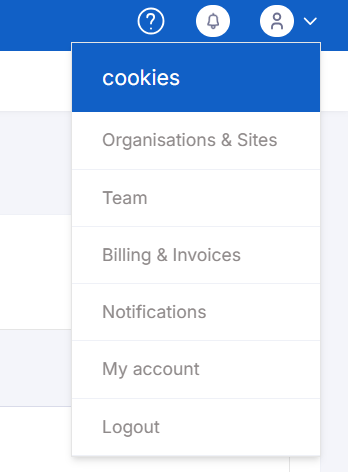
1. Navigate to the CookieYes dashboard and click on the profile icon in the top right corner. Select Team from the dropdown
2. Click "Invite New User"

3. Select your organization, type in cookies@bigorangelab.com to the email address field, and select "Admin" as the role.
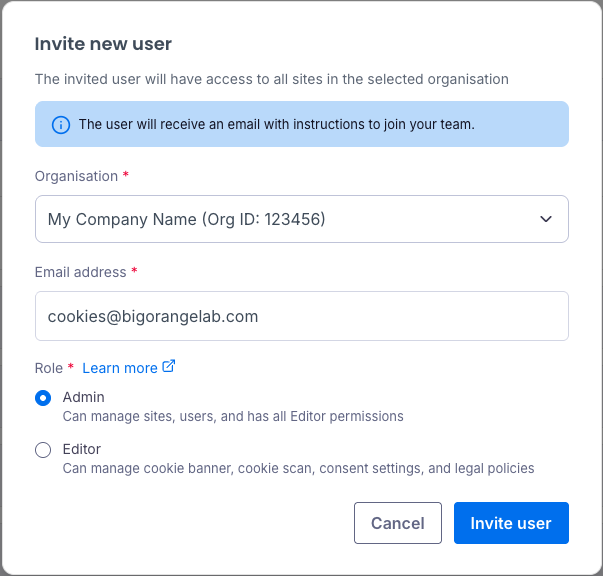
4. Click "Invite user" to send the invitation. This new user will be pending until the invitation is accepted.
For more information on adding or deleting users and resending member invites, visit the CookieYes documentation.